
ZeroTier networks give you policy control at the network layer without forcing everything through a brittle perimeter. You can define which identities are allowed to communicate, what resources they can reach, and how traffic should behave across distributed environments, leveraging centralized controls with decentralized ZTNA security principles.
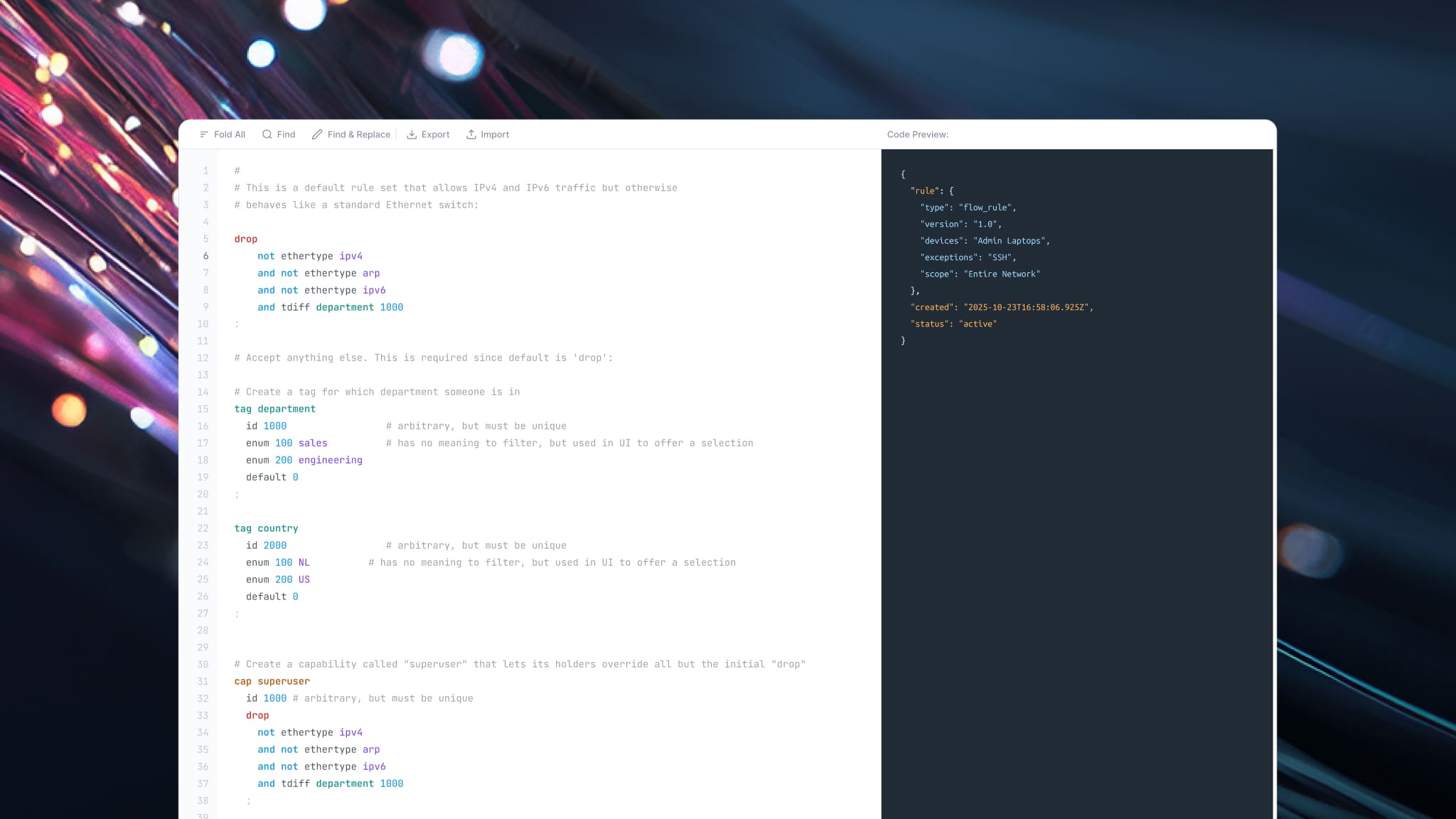
This is where flow rules come in. Flow rules are ZeroTier’s programmable policy engine for controlling traffic inside a ZeroTier network. Rules are checked from top to bottom. Each flow rule pairs one or more match conditions with an action, and the engine checks them top to bottom for every packet. The terminating actions are “accept” (allow the packet and stop), “drop” (block it), and “break” (stop the base rule set but still let capabilities apply). Rules can also tee or redirect traffic without ending evaluation. If a packet reaches the end of the rule set without being accepted, the engine drops it, which is why ZeroTier’s default template ends in an explicit accept. The result is predictable policy: Traffic flows only where a rule allows it, and you tighten a network by deciding what to accept before that final rule.
So, with this latest update, we’ve made flow rules and policy management significantly more flexible.
The Move from Templates to Custom Control
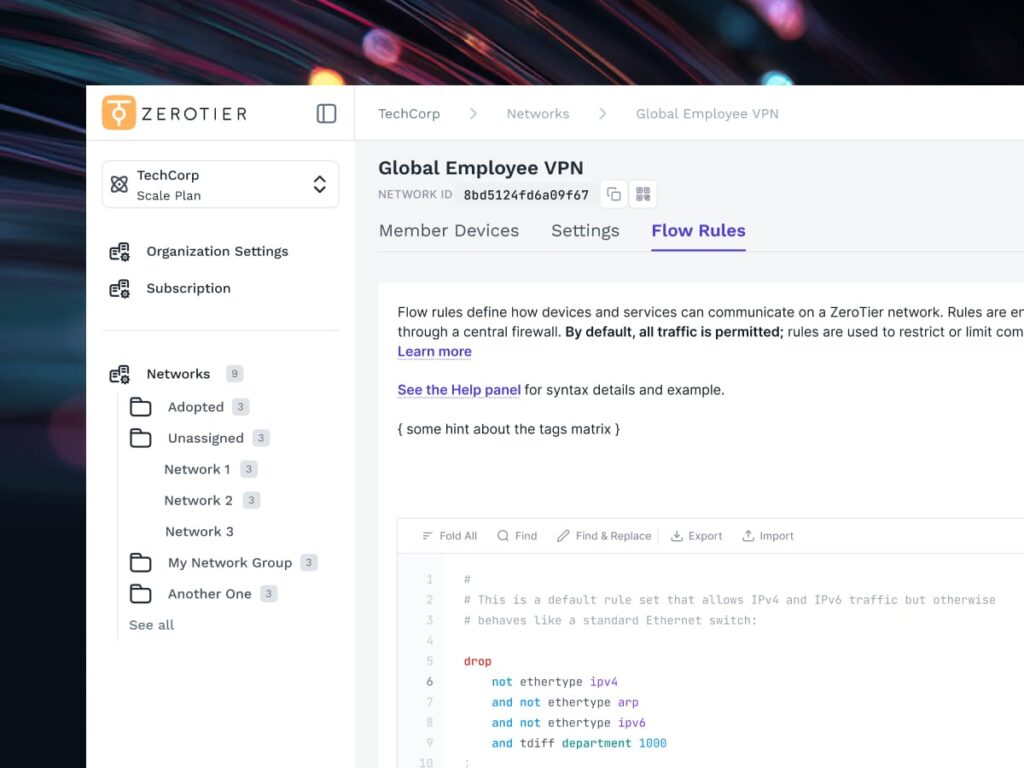
ZeroTier Scale and Enterprise users can now convert standard template-based configurations into custom mode directly from the new Central dashboard. A new “Convert to Custom” button is available in the standard templated view, giving teams a cleaner path from guided configuration to more advanced policy control.
This update is designed for users who want the simplicity of templates when they’re getting started, but need more control as their environments grow. With one click, existing flow rule configurations are migrated into the flow rules language. From there, users get access to a specialized editor built for writing, reviewing, and managing custom rules.
Real Networks Rarely Stay Simple
A team may begin with a few devices and straightforward access needs. Over time, that same network may, for security or management reasons, need more specific segmentation, device groups or roles, operational exceptions, or capability-based access. Custom flow rules give administrators the room to express those policies directly, while still keeping management inside Central.
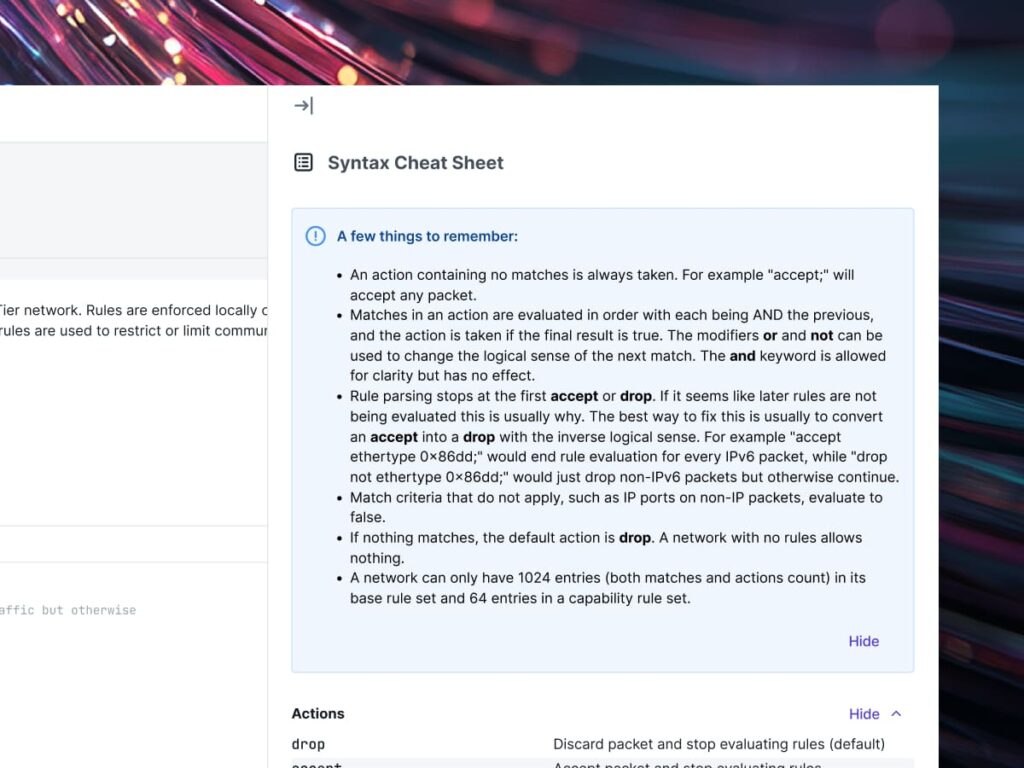
The new custom experience also adds a help panel and documentation links, so users aren’t dropped into an editor without context. The goal is to make advanced control more approachable, not more obscure. Network policies should be powerful and not require guesswork.
Tags and Capabilities Made Easy
We’ve also newly added responsive tables for tags and capability matrices. These populate once tags and members are defined, giving administrators a more practical way to manage device-specific policy inputs.
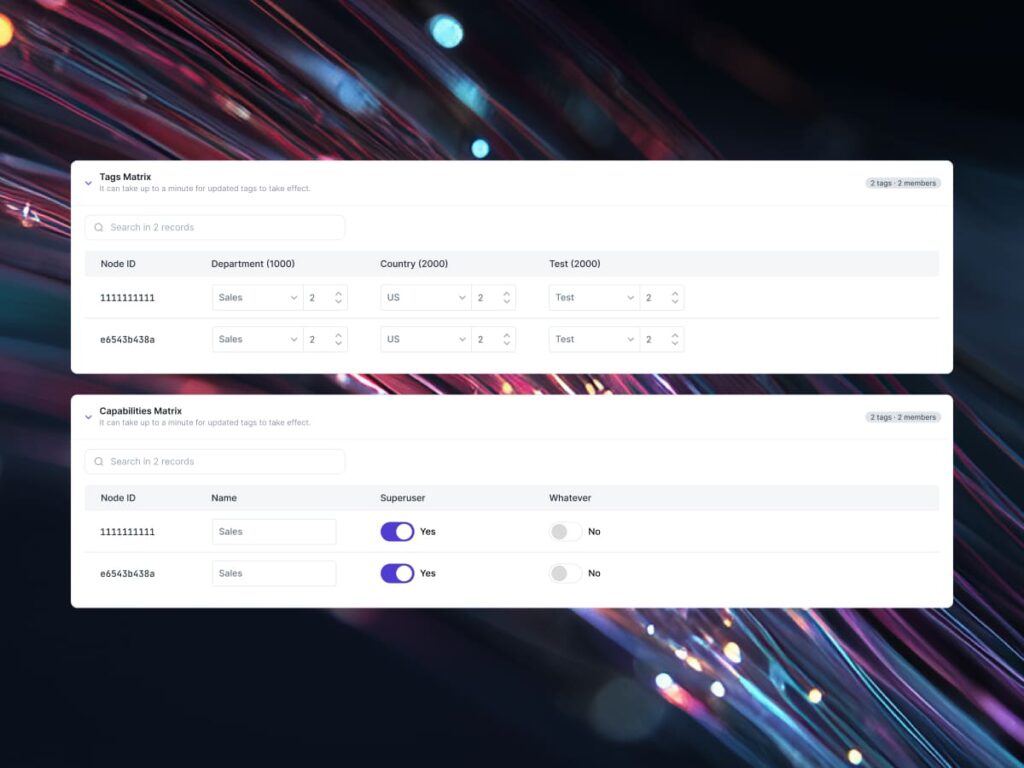
The tags table lets users assign enum or flag-based values to network devices. When flags are selected, input values are calculated automatically. That reduces manual work, lowers the chance of mistakes, and makes it easier to see how tag-based policy maps to the actual devices on the network.
The capability matrix gives teams a simple interface for toggling desired policies and capabilities across specific devices. Instead of forcing every change through raw rule edits, administrators can define which devices should have which capabilities in a structured view. It is a faster way to manage intent across members without losing the flexibility of custom flow rules.
From Policy Design to Enforcement
When these configurations are saved, Central publishes the flow rules to the network and updates the specified network endpoints. The result is a cleaner workflow from policy design, development, and enforcement.
Users can still switch back to the template view. That said, switching back resets the configuration to default, which means a custom setup may be lost. This gives teams a path back to the guided, easier experience, but makes the tradeoff clear before they leave custom mode.
Start Simple, Then Go Deeper
This update is another step toward making the new Central more powerful, flexible, and easier to use. Templates help teams move much more quickly. Custom flow rules help teams go deeper. Together, they give administrators a practical way to start simple, then build the exact policy model their network demands.
ZeroTier is built for modern, distributed secure environments where trust can’t depend on a perimeter. Building up your ZTNA or SASE approach for your network security, custom flow rules bring full distributed control, while keeping the experience grounded in the same principle that guides the rest of the ZeroTier platform: that networking should be simple, resilient, secure, and, of course, manageable at scale.
Want to learn more about ZeroTier One? Contact sales today.
Want a deeper breakdown of the terminology? Our complete networking and cybersecurity glossary has you covered.